
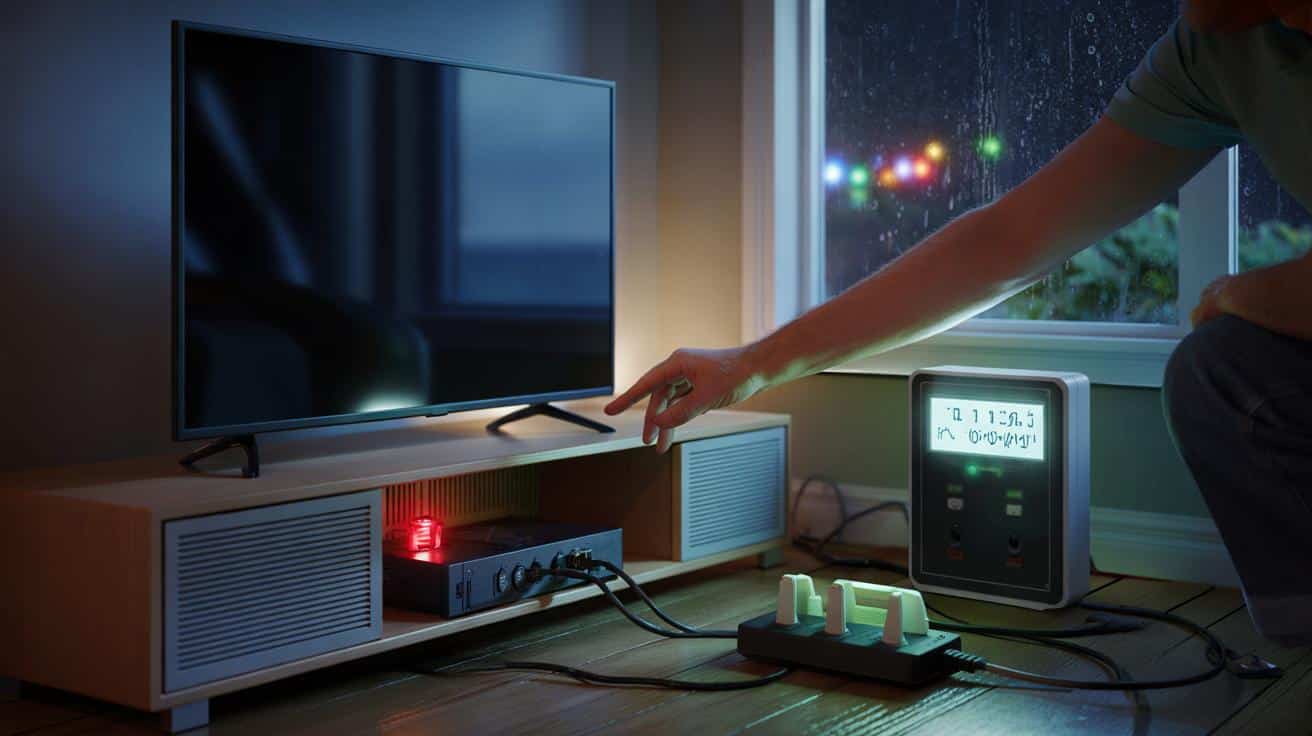
It looks harmless, sits by the TV, and still costs real money even when the screen is dark. That quiet drain adds up. In some homes, it adds up to roughly $200 a year.
It started with the soft glow of a standby light. The house was still, the telly off, the street outside licking itself clean after a drizzle. Yet the meter wheel on my in-home display twitched like a restless eye. Somewhere, something was drinking power through a straw. It hummed like a sleeping pet in the corner. The next bill landed, and the numbers were a touch brutal. I began the night-time ritual of unplugging and replugging, listening for the faintest clicks and whirs. One box, under the TV, never really slept. The culprit wasn’t even on.
The silent energy hog hiding in plain sight
Peek behind most TVs and you’ll find it: the set-top box with a built-in recorder, or the cable/satellite DVR. It looks bored when you press “off,” yet it keeps its hard drive warm, tuners alert, and network link alive. That’s “standby” in name only. The worst offender, in many homes, is the old-school DVR that draws power around the clock for the sake of instant channel changes and scheduled recordings. No drama, no noise, just persistent pull from the socket, every hour of every day. What feels like nothing, multiplied by 8,760 hours, becomes something chunky.
Here’s the boring math that stings. An older DVR can sip 30–45 watts continuously, and many households run two boxes for different rooms. Two units at 40 watts each is 80 watts, all year. That’s roughly 700 kWh annually. At 30 cents per kWh—a not-unheard-of rate in parts of the US—that’s about $210. Even at 20 cents, you’re flirting with $140. Industry tests over the years have shown these boxes barely budge between “on” and “off”. Which is wild, when you think of how often the screen is black.
Why do they behave like this? Legacy boxes were built for speed and convenience, not frugality. Hard drives like to spin, tuners like to stay ready, and the software likes to update in the small hours. The remote must wake it instantly, so it never fully winds down. Streaming sticks, by contrast, often idle at under 2 watts. So the same seat on your sofa can be powered either by a sledgehammer or a scalpel. One hums through the night; the other nods, barely breathing.
How to stop the leak without living like a monk
Start with a quick audit. Pull the TV cabinet forward, put your hand on the DVR after “off,” and feel the residual warmth. Then measure. A low-cost plug-in meter or a smart plug with energy tracking reveals the truth in minutes. Note the standby watts, multiply by 24, then by days, and map that to your tariff. If the number looks daft, it probably is. Swap habits, not your personality.
Next, try the device settings. Many cable and satellite boxes hide a “power save” or “deep sleep” mode behind three menus. Enable it, and set an automatic sleep window after inactivity. If your provider offers a newer, Energy Star-labelled or IP-based box, ask for it. Let’s be honest: nobody really crawls behind the unit to yank a plug every night. We’ve all had that moment when the room is quiet, the tiny light is on, and you wonder what it’s costing you. The fix should fit your real life, not rebuke it.
For a belt-and-braces approach, put the DVR and older peripherals on a smart strip. Group “always-on” essentials—router, modem—on the strip’s live sockets, and place the DVR on a switched bank with a schedule that matches your viewing. Leave enough cushion for recordings you actually want. Add one small rule and you’ll forget the rest.
“The great myth is that ‘off’ equals zero. With legacy TV boxes, ‘off’ often means ‘a polite version of on’,” says an energy auditor who’s opened more TV cabinets than he cares to admit.
- Check for a “power save” mode and turn it on.
- Ask your provider for a low-idle or streaming-first box.
- Use a smart plug schedule to cut overnight standby.
- Retire duplicate boxes you barely watch.
- Consider a streaming stick that idles under 2W.
A new way to think about “off”
There’s freedom in redefining “off” as a choice, not a button. You don’t need to live by candlelight to refuse waste. You just need to reserve always-on for gear that earns it. The DVR is a relic of channel-surfing culture, back when speed trumped thrift. Today, the same shows arrive via tiny devices that nap like cats. One swap, one setting, or one smart plug can tilt a bill by tens of dollars a quarter. That black box under your TV might be the last big energy habit you’ve never questioned. Ask what you want on, and why, and when—and let the answers shape the currents behind your screen. Friends notice the picture; your meter notices the quiet.
| Key point | Detail | Interest for the reader |
|---|---|---|
| Legacy DVRs draw power 24/7 | 30–45W even when “off” due to hard drive, tuners, and updates | Explains the hidden cost behind a familiar device |
| $200 a year is plausible | Two boxes at ~80W can hit ~700 kWh; at $0.30/kWh ≈ $210 | Shows how standby turns into real money on the bill |
| Simple fixes work | Power-save settings, smart plugs, and newer low-idle boxes | Actionable steps that don’t require tech expertise |
FAQ :
- Is it really $200 just from one device?In high-tariff areas or homes with two older DVR/set-top boxes, the standby total can land near $200 a year. A single modern box usually costs less.
- How do I know what my box uses?Use a plug-in energy meter or a smart plug with watt tracking. Check watts after pressing “off” and again overnight.
- Will power-saving modes make recordings fail?Most “power save” modes preserve scheduled recordings. Deep sleep may delay start-up, so pick a mode that fits your habits.
- Are streaming sticks really that efficient?Many idle under 2W and wake quickly. That’s a fraction of older DVR standby draw, with similar convenience for on-demand viewing.
- What if I still want live channels?Ask your provider for an Energy Star or IP-based box, reduce duplicate units, and schedule a smart plug to cut the overnight idle window.








Thanks for this. I plugged the numbers into my calcualtor—2 DVRs at ~40W each is ~700 kWh/yr. That’s the first time standby felt “real” to me.
If I enable the “power save” on a Spectrum DVR, will scheduled recrodings still fire, or does deep sleep block tuners from waking up? Any gotchas with software updates overnight?