
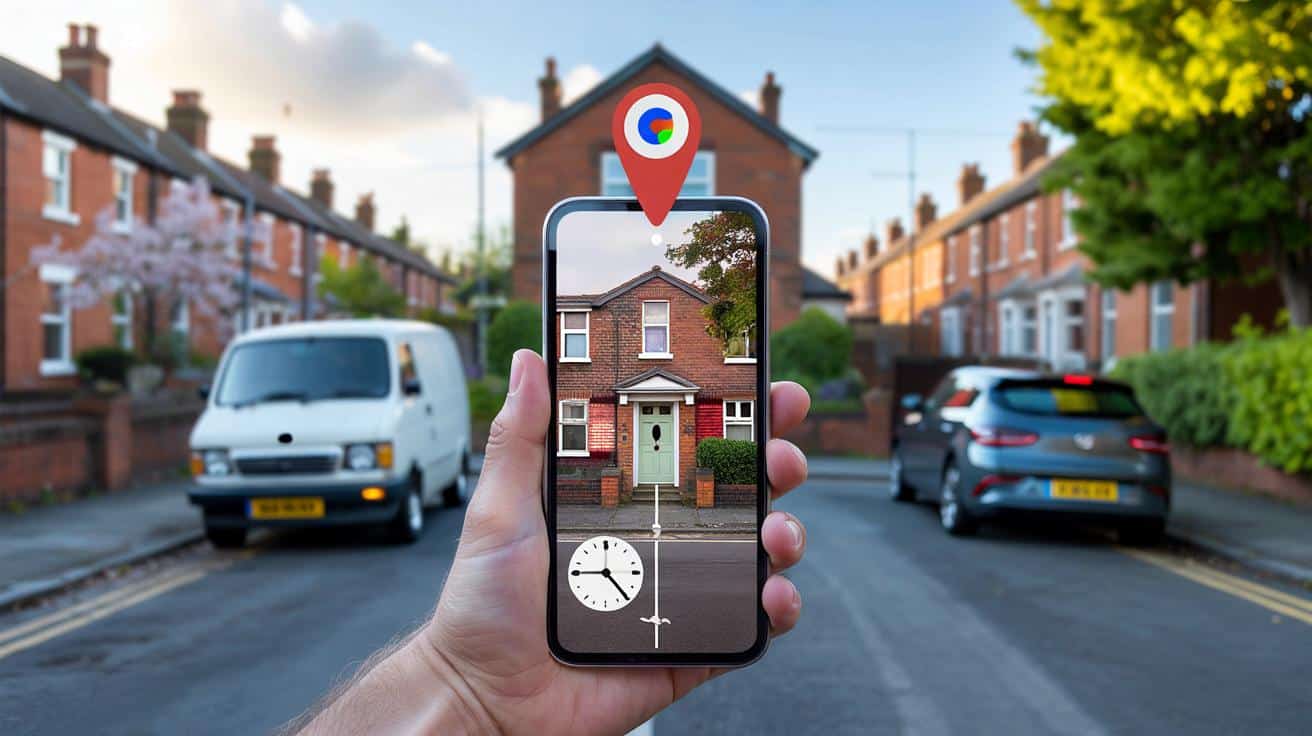
You can’t help it: you wonder what the place you call home looked like before the paint, before the porch, before that tree vanished. Google Maps has a quiet time machine hidden in plain sight.
A neighbour waved, and I realised I didn’t remember what their house looked like when I first moved in. Was there a cherry tree by their window, or am I inventing it because I wish there was? The mind edits our streets the way we edit our photos, smoothing gaps, brightening the best bits, losing the rest. I opened Google Maps, tilted my phone, and felt the odd thrill you get when the past is just one tap away. The clock icon blinked at me, small and humbly sure of itself. The years began to slide back like blinds.
What did your house look like 20 years ago?
Why peeking into old Street View feels like a small act of time travel
There’s a reason we go down rabbit holes with old photos. Streets hold our private landmarks: a butcher’s awning, a blue door, the lamppost where you kissed someone goodbye. We’ve all had that moment when a familiar corner feels slightly wrong and you can’t place why. Google’s Street View keeps the receipts.
In Manchester, I watched a corner shop turn from a nicotine-yellow off-licence in 2009 to a clean, mint-green deli by 2018, then a florist in 2023. Two frames, same angle, same pavement cracks, different lives. A friend in Bristol slid back to 2010 and spotted her dad’s old van outside the house they’d just sold, number plate blurred, memory intact. That flicker of recognition hits harder than any glossy archive. It’s ordinary life, timestamped.
What’s going on under the bonnet is simple enough. Every time the Street View cars pass, Google stores that capture as a dated layer. On desktop, those layers stack on a timeline; on mobile, they sit behind a tap. Not every street has coverage every year, and some places only begin around 2008–2010 in the UK. Still, when the data is there, the slider can feel like a reel-to-reel recorder, with your house as the hook.
Exactly how to rewind your house on Google Maps
On a computer, type your address into Google Maps and hit Enter. Drag the little yellow Pegman onto your road, then look for a small clock and “Street View” label at the top-left. Click the clock, choose **See more dates**, and drag the timeline to jump between years; click a frame to load it, then use arrows to nudge along your street for the right angle.
On your phone, open Google Maps, search your address, and drop into Street View by tapping the preview at the bottom left. Tap the three dots in the corner, then tap **Street View history** if you see it; on some screens, a clock icon appears near the bottom—tap that to open past captures. Let’s be honest: nobody really does this every day. Still, when you get the hang of it, it’s as quick as checking the weather.
Common snags are boring but fixable: you might land a few doors away, the angle changes, or the oldest frame is newer than you hoped. Move along the arrows until the façade lines up, then open the time slider again from that spot. Blurry plates and faces are by design; privacy filters kick in automatically. If you hit a dead end on the app, try desktop—**Street View** history has been around there longer, and it often shows more dates than mobile.
“Think of it as a shelf of photo albums,” says a digital archivist I spoke to. “Grab a different album, and you’ll see a different mood—wider lens, low sun, summer growth. The trick is to keep switching vantage points.”
- Use the same doorway or window as your anchor.
- Toggle between seasons for light that reveals details.
- Switch to satellite and Google Earth to fill gaps.
- Note the month on each capture to compare like-for-like.
Going further, and why the gaps matter
If you want true long-range comparison, desktop Google Earth is a goldmine. Fire up Google Earth on your computer and tap the “Historical Imagery” clock to reveal older satellite and aerial layers; in rural or coastal zones, you’ll sometimes find views stretching back well beyond Street View’s first UK pass. Use it when the road car never made it down your lane.
What if the 2006 dream eludes you? The first Street View cars rolled in the US in 2007, with the UK’s big splash in 2009, so a strict 20-year leap might be a reach on some streets. Don’t bin the search. Try side routes, junctions, and nearby A-roads where coverage is richer, then pivot back toward your house. *You’ll be surprised how often a different corner opens the door to an older year.*
Other sources can plug holes in your time map. The National Library of Scotland’s side-by-side maps let you compare historic surveys with modern satellite. Historic England’s Aerial Photo Explorer hosts vintage flyovers. Bing’s Streetside sometimes shows a different pass date. Local Facebook groups stash shopfront photos, and the Wayback Machine can reveal older estate listings, often with front-garden shots that look suspiciously forensic. All roads lead back to the same itch: what changed, when, and why does it tug at you?
There’s also the feeling you carry away after you close the tab. Seeing an old hedge or a scruffy gate can rewrite how you remember a move, a job, a breakup. Memory is elastic; Street View is not. That tension can be weirdly comforting.
And no, this isn’t about nosiness alone. It’s about place, and the way a place anchors you in a decade, or lets you laugh at that gust of lavender paint in 2012 you swear was a good idea at the time. Be kind to your former self.
One last bit of talking straight: your house isn’t a museum exhibit, so your timeline will never be perfect. The gaps teach you nearly as much as the pictures.
When you find an older frame, take a beat. Compare rooflines, the garden wall, that tree stump you didn’t think anyone would notice. Photograph the screen if you like, or save a link; share it with a sibling who remembers the old dog, or a kid who doesn’t. The past doesn’t sit there waiting for you. It flickers when you look at it.
| Key point | Detail | Interest for the reader |
|---|---|---|
| Use the time slider | Click the clock icon, then **See more dates** to jump between years | Instant access to older street photos of your home |
| Mobile has limits | Street View history appears on some devices; desktop often shows more dates | Skip frustration by switching device when needed |
| Fill the gaps | Try Google Earth, historic maps, and nearby junctions for earlier imagery | Better odds of finding “20 years ago” even if your street is patchy |
FAQ :
- Can I really see my house from 20 years ago?Sometimes. In the UK, many areas start around 2009 for Street View, though satellite layers in Google Earth can go further back.
- Where is the time slider on desktop?Enter Street View, look top-left for a small clock, click it, then pick a year from the timeline.
- Does the Google Maps app have history?Yes on many phones. In Street View, tap the three dots or the clock icon to open past captures; if it’s missing, use desktop.
- Can I download or share an old frame?You can copy the URL from the address bar on desktop or take a screenshot for personal use. Respect copyright and privacy.
- Why is my number plate or face blurred?Google auto-blurs plates and faces for privacy. You can also request extra blurring of your home via the “Report a problem” link.







Love this guide—clear steps with Pegman and the clock icon. Found a 2010 capture of my place I’d never noticed. Bookmarked for the next nostalgia rabbit hole. Thanks!