
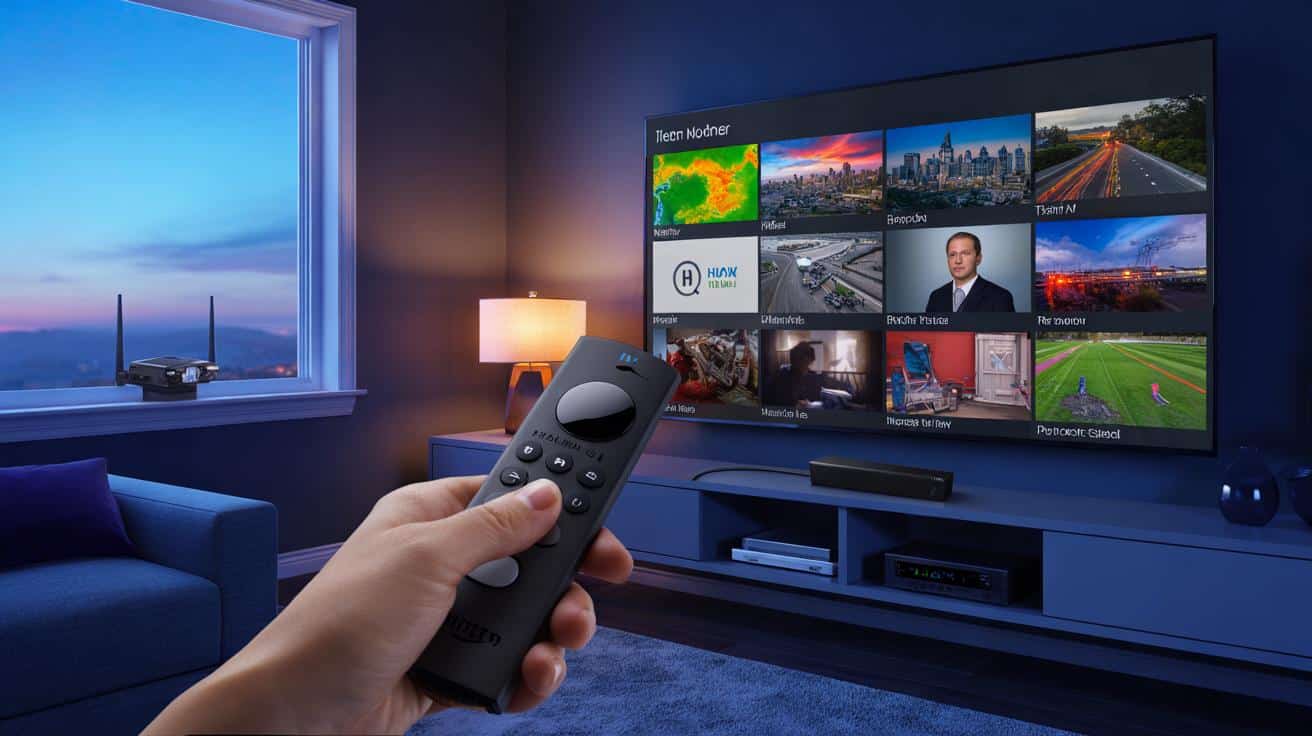
A new wave of cord-cutters swear there’s a quiet way to watch local TV on a Fire Stick without paying. Not with a dodgy APK, not with a VPN, not with a mystery box. Something already sitting on your home screen, overlooked.
A friend tapped around his Fire Stick like a barista pulling a shot, and suddenly his local news popped up in crisp HD. No cable box, no login, no fuss. He switched to a neighbouring city’s channel just to prove a point, then back again before the adverts finished.
The remote was still warm in my palm when I realised the trick wasn’t new. It was hidden. Baked in. We’d simply never looked in the right place.
What if the shortcut was already on your Fire Stick, hiding in plain sight?
The quiet shortcut hiding on your Fire Stick
Local TV isn’t dead; it’s just moved to a different shelf. On Fire TV, the shelf is the **Amazon News app** and the Live tab, which blend free, legal streams from recognised broadcasters into something that feels like your old channel guide. It’s not flashy. It doesn’t shout for attention. It just works.
Open it and you’ll see tiles for cities, metro areas, and regional feeds. Tap a city and you get a rolling live channel from that area, with weather cut-ins, traffic cams, school closings, that sort of thing. You can stack multiple places if your life crosses postcodes. It’s dull in the best way: familiar, reliable, ordinary TV without a monthly bill.
Under the skin, Fire TV has become an aggregator. Free ad‑supported channels sit beside local news feeds, and your personalised cities live right there on the home row. The “trick” is not a hack. It’s learning that local can be a stream, not just an aerial. Once that clicks, the Fire Stick stops feeling like a toy and starts acting like a grown-up telly.
We’ve all had that moment when the match is about to start and the TV refuses to cooperate. A colleague of mine swore off streaming that night and dug out an old aerial. The next weekend, he paired a tiny indoor antenna with a low-cost network tuner and watched his local channels through the Fire Stick’s Live guide like it was 2011, only sharper. No subscriptions, just airwaves and an app.
That’s the second half of the quiet shortcut. The Fire Stick can fold in free over‑the‑air broadcasts when you use a compatible tuner such as **HDHomeRun** or Tablo, turning your channels into a neat on‑screen guide. You still watch with your Fire remote. You still zap up and down. It feels native, because it is native.
One neighbour went from “I miss my local station’s morning show” to a clean grid of local channels in an hour and a pot of tea. It wasn’t magic. It was a small bit of kit and the right tile on the home screen. Sometimes the future arrives wearing a cardigan.
How to make it work in minutes
Start where most people never do: the Fire Stick’s search bar. Type “News”, then open the **Amazon News app**. Choose your location and add nearby cities you care about. You’ll see live local feeds pop into a carousel on the home screen and under the Live tab. Tap, watch, repeat. No passwords, no long forms, just the sound of your weatherman saying it’s going to bucket down.
If you want every local broadcast channel, add an aerial. Clip a small indoor antenna to a window, connect it to a network tuner that supports Fire TV, and install the tuner’s app. The Fire Stick will slide those free channels into the **Live TV guide**, giving you a proper grid with programme times and names. Let’s be honest: nobody really does that every day. Still, once it’s set, your local stations behave like any streaming channel.
Don’t chase sketchy apps that promise “all channels forever.” They vanish, crash, and get choked with malware. Stick to official store apps with recognisable logos and trust badges.
“The fastest way to local channels is the one that doesn’t break tomorrow,” a broadcast engineer told me. “Antennas and legitimate apps outlast everything.”
- Use Amazon News for instant local feeds in supported areas.
- Add an antenna plus a compatible tuner for full over‑the‑air channels.
- Layer in free apps like Local Now, NewsON, PBS, and your local station’s own app.
- Pin your favourites to the top of the Live tab for quick zapping.
- Keep it simple. If it feels dodgy, it probably is.
Where this can take you next
Once you see local TV as a mix of streams and airwaves, you start building your own bundle. Amazon’s News app gives you a live window into your city. A modest antenna pulls in your area’s full broadcast line-up. A few free apps stitch in weather, traffic, school sports, and the odd city council meeting. Suddenly the Fire Stick becomes a small-town newspaper and a roadside billboard and your gran’s favourite midday show, all on one home screen.
It changes how evenings feel. You hear familiar presenters again, get warnings relevant to your street, and stop doom‑scrolling for basic info when a storm rolls in. You can even add other cities where family live, so their world is one click away. It’s not a revolution. It’s a return to normal, reshaped for a thumb and a sofa.
What this unlocks next
The real win is calm. Local TV gives you context for your life, and the Fire Stick makes it easy to hold onto without another contract. Once your cities and channels live in that Live tab, you’ll stop hopping apps like a frog on hot tarmac. You’ll open the news, catch the mayor’s briefing, then jump to a local weather loop before bed. It’s ordinary in a way that feels rare. And it’s free in a way that might make you smile.
| Key point | Detail | Interest for the reader |
|---|---|---|
| “Hidden” app on Fire TV | The **Amazon News app** streams live local feeds in many regions | Instant local channels without subscriptions |
| Full local line‑up | Pair an indoor antenna with a tuner like **HDHomeRun** or Tablo | Get broadcast channels in the Fire TV Live guide |
| Stay legal, stay stable | Use verified store apps; avoid sideloaded piracy APKs | Reliability, safety, and zero monthly bills |
FAQ :
- What is the hidden app?The Amazon News app on Fire TV, which aggregates free, live local news channels by city. It’s often pre‑installed and can be pinned to your home screen for quick access.
- Is this legal?Yes. You’re watching official streams from broadcasters and free over‑the‑air channels via an antenna. No bypasses, no cracked apps, no paid logins required.
- Will it work in my area?Local streaming coverage varies by country and city. Many US metro areas are supported; other regions get a mix of national and regional sources. Over‑the‑air channels depend on your signal strength.
- Do I need extra hardware?For streamed local news inside the Amazon News app, no. For full local broadcast channels inside the Live guide, you’ll want a small antenna and a compatible network tuner.
- Can I watch local sport for free?Some matches might air on free broadcast channels you can receive with an antenna. League rights are complex, so big fixtures may still sit on paid services in your region.







Is this really legal in the UK? I can’t find the Amazon News app on my FireTV. Do I need to change region settings or am I just blind?
Tried this tonight and boom—local weather in HD with zero sign‑ups. I added PBS and Local Now too; the Live guide feels like old‑school cable minus the bill. This is definately the kind of ‘hidden’ feature Amazon never explains properly. Cheers!