
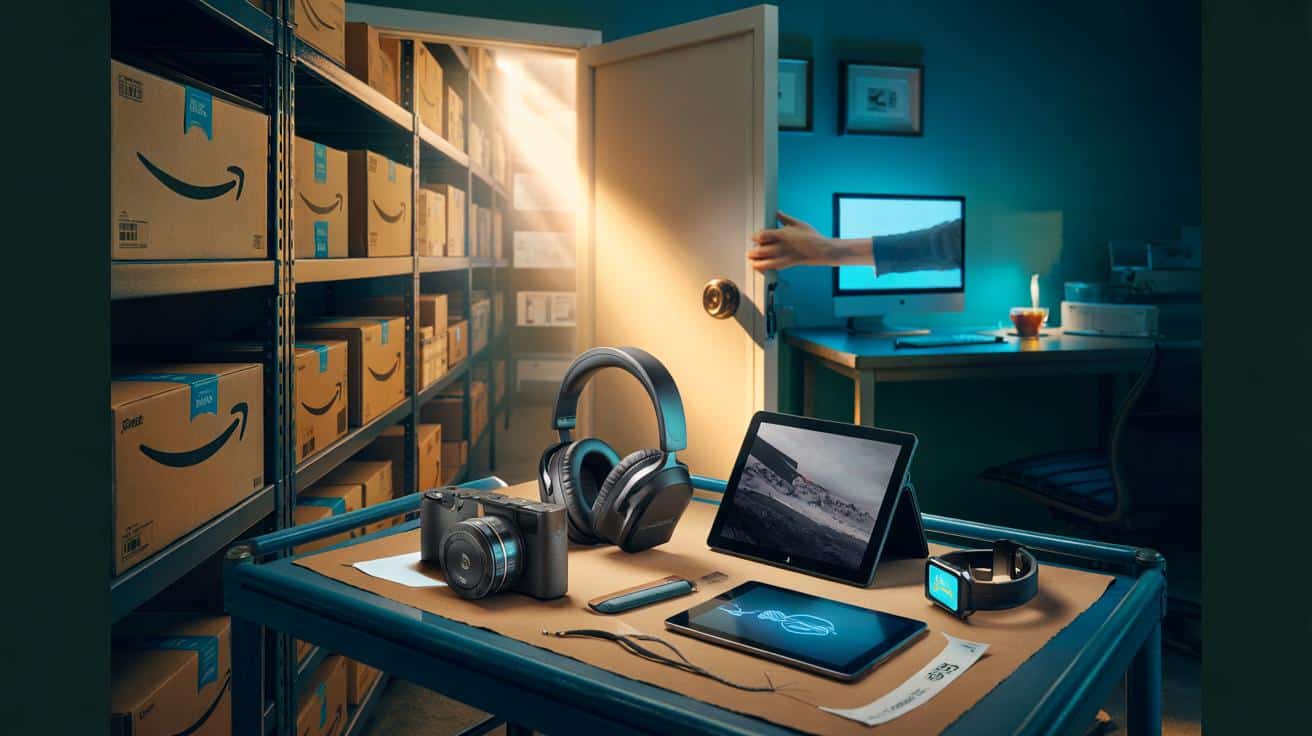
It’s not a coupon. It’s not a flash sale either. It’s a hidden aisle called **Amazon Warehouse**, and if you know where to look, electronics can tumble by 70% without a single banner screaming about it.
It was just before midnight, a cold cup of tea going undrunk on my desk, when the algorithm offered me a whisper of a deal. A pair of noise-cancelling cans I’d been eyeing for months, showing up with a scuffed box and a frankly cheeky price. I clicked. The listing carried a one-line note — minor cosmetic blemish — and a four-figure number of returns behind it, the quiet churn of modern retail, all ending up in this overlooked corner.
I hesitated, refreshed, and watched the page evaporate. Someone else had beaten me to it. That’s when I learned the rhythm of Amazon’s Warehouse, and the simple steps that surface the largest cuts. There is a trick.
The quiet aisle behind the Buy Now button
Most people think “Warehouse” means dented, dodgy, not worth the risk. The reality is calmer: returned items, open-box units, and products with dinged packaging that Amazon can’t sell as new. They get re-listed with a condition note and a discount that shifts by the hour.
Warehouse stock breathes. What you see at 10am can be gone by lunch, then back in the evening with a different price. That’s why the wins feel electric. One reader sent me their receipt: flagship earbuds marked £249 at launch, nabbed for £89 because the box looked like it had met a grumpy cat.
Here’s the engine behind it. Returns flood in, are inspected, graded, and priced by software that watches demand and availability. Condition is laid out in plain English — **Used – Like New**, “Very Good,” “Good,” “Acceptable.” The more visible the scuff or the more likely a cable is missing, the deeper the cut. It’s not romantic. It’s logistics finding a second life for tech you wanted anyway.
The exact path to the Warehouse — and the 70% cuts
The fastest route: type “Amazon Warehouse” into the Amazon search bar and tap the official store result. From there, hit Electronics & Photo, then filter by condition: start with Like New and Very Good. Sort by “Price: High to Low” if you’re hunting premium gear that’s been slashed. Bookmark the store page so it becomes muscle memory.
On mobile, do the same — search “Amazon Warehouse”, open the store, pick Electronics. Use the left-hand filters to zero in on brands you already trust. Read the condition note like a pilot reads a checklist. If it says “Item will come in original packaging,” you’re golden; if it mentions “missing accessories,” check if it’s just a USB cable you can replace for £6.
We’ve all had that moment when a checkout page feels like a tiny gamble. That’s why the basics matter: click the seller name and confirm it says “Sold by: Amazon Warehouse”. Anything else and you’re not in the aisle we’re talking about. Let returns be your safety net — Warehouse items fall under Amazon’s return window, and the process is as familiar as any Prime purchase. Let’s be honest: nobody really does that every day.
Smart habits that surface the real steals
Think in keywords. Search within the Warehouse store for phrases like “open box”, “renewed”, or the exact model number (WH-1000XM5, 8700K, XR55A80). Fancy a 70% drop? Aim for last-year flagships and late-cycle releases when the next model leaks. Sort by Newest Arrivals to catch fresh returns before the rush.
Don’t skip the condition notes. “Like New” often means the seal was broken, nothing more. “Very Good” might hide a small scratch. “Good” can be a bargain if the missing accessory is trivial. Keep an eye on what’s in the box — chargers, tips, bands. If a watch is missing the strap, factor £15 and you’re still way ahead. It’s a little scrappy, yes, but the value lands in your pocket, not on a billboard.
One seasoned buyer told me they treat Warehouse like a morning paper.
“I refresh with coffee, sort by Electronics, then filter to my three favourite brands. If nothing hits, I close the tab. No FOMO tax.”
- Check last year’s premium models — they drop the hardest when a successor is rumoured.
- Read the exact condition line. It’s the difference between joy and a mild faff.
- Track your target prices. Price history tools help, but a sticky note works too.
- Confirm it’s Amazon Warehouse as the seller to keep that easy return flow.
- Time your browse: restocks often show late evening and early morning.
A better way to own tech without the guilt
There’s something quietly satisfying about rescuing a device from the returns stream. You get the good stuff — the sound, the screen, the speed — minus the shine you won’t notice after a week. The discount is a cherry, not the cake. *The real win is buying the right gadget at the price you hoped was possible.*
Hidden aisles reward rhythm. A quick check over breakfast, a scan before bed, and the occasional pounce when the stars line up. Pace matters. Even the 70% moments don’t feel like gambling when you know the drill: read, verify, click, test — and send back if it’s not the one. That’s modern thrift, with the friction sanded down.
Maybe that’s why Warehouse shoppers talk about their finds like fishermen talk about clean casts: not just the catch, but the feel. Bold headphones that cost less than a tank of petrol. A tablet for a child’s homework that didn’t chew the weekly shop. **Open-box** doesn’t sound romantic. It looks like money saved for the things you actually care about.
| Key point | Detail | Interest for the reader |
|---|---|---|
| Find the hidden aisle fast | Search “Amazon Warehouse”, open the store, filter Electronics & Photo | Shaves minutes and surfaces the real deals sooner |
| Read the condition like a pro | “Like New” is often box-only damage; “Good” can miss minor accessories | Avoid surprises, pocket deeper savings |
| Time and sort wisely | Use Newest Arrivals, then sort by price; check late evening and early morning | Increase odds of catching 70% drops before others |
FAQ :
- Is Amazon Warehouse the same as Renewed?Not quite. Warehouse is open-box/returned items with a simple return window. Renewed is refurbished with a limited guarantee on function.
- Can I return a Warehouse item if I don’t like it?Yes, the standard Amazon return window applies. Start the return from your orders like any other purchase.
- Will I get the manufacturer warranty?It varies. Some brands honour it, some don’t for open-box sales. The product page usually notes this.
- How do I know what’s missing in the box?Read the condition note. It states if accessories are absent. Replaceables like cables are easy wins.
- Where do the 70% discounts show up?Often on last-year flagships, unpopular colours, or units with cosmetic marks. Sort by price and scan model numbers you recognise.








Just followed your path—searched “Amazon Warehouse,” filtered Electronics, Like New/Very Good, sorted High→Low. Nabbed a “Very Good” DSLR for 58% off, original packaging. Defintely bookmarking; the late-evening restock tip worked for me 🙂